

How to Choose an Emergency Smartwatch for Seniors
Introduction
An emergency smartwatch for seniors is a vital safety device that provides security and peace of mind for older adults and their families. Unlike static panic buttons, these wearables go everywhere with the user, functioning as a regular watch while offering instant help in an emergency. This guide explains the main types of emergency watches, key features, costs, setup, maintenance, and support so you can choose the right model.
Types of Emergency Watches for Seniors
Basic Emergency Watch
- Main features: Large, clear SOS button and simple, easy-to-read display.
- Pros: Intuitive to use, minimal buttons, affordable price.
- Cons: Limited functionality, usually without GPS or advanced options.
Emergency Watch with GPS
- Main features: Built-in GPS for real-time location tracking.
- Pros: Enables locating the wearer outside the home, ideal for active seniors or those who may get disoriented.
- Cons: Higher battery consumption and price, usually requires an active SIM card.
Smartwatch with Emergency Function
- Main features: Full smartwatch with integrated SOS app and extra health and fitness tools.
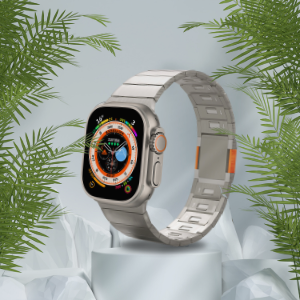
- Pros: Wide range of functions such as heart rate and steps tracking, notifications and more. Often compatible with popular Apple Watch bands, Galaxy Watch bands and other smartwatch accessories from an online store.
- Cons: May be too complex for some seniors, more expensive, often needs cellular connectivity.
Emergency Watch with Two-Way Communication
- Main features: Built-in speaker and microphone for direct calls with an emergency center or preset contacts.
- Pros: Real-time communication, guidance and reassurance during emergencies.
- Cons: Usually bulkier and heavier, higher battery usage.
Emergency Watch with Fall Detection
- Main features: Sensor that automatically detects falls and sends an alert.
- Pros: Extra protection when the wearer cannot press the SOS button, ideal for those at high risk of falls.
- Cons: Possible false alarms, higher price, typically requires a SIM plan.
Prices and Costs
Prices vary based on technology level, features and whether a monthly monitoring or cellular plan is required.
- Basic emergency watch: Approx. 300–500 ₪, often with a monthly fee of 80–120 ₪.
- GPS emergency watch: Approx. 500–800 ₪, usually with a 100–150 ₪ monthly subscription.
- Smartwatch with SOS: Approx. 800–1,500 ₪, sometimes with a low monitoring or data package fee.
- Two-way communication watch: Approx. 600–1,000 ₪, often with a higher monthly fee due to call center services.
- Watch with dedicated fall sensor: Typically more expensive; sometimes the first year of cellular service is included, then renewal or SIM replacement is required.
Setup and Maintenance
Initial Setup
Most senior emergency watches are ready for quick activation, but it is recommended to follow these steps:
- Fully charge the watch before first use.
- Configure user details, emergency contacts and key phone numbers.
- Test cellular and GPS reception where the senior usually spends time.
- Practice pressing the SOS button with the wearer until they feel comfortable.
Ongoing Maintenance
- Regular charging: Follow manufacturer guidelines to avoid low battery during emergencies.
- Cleaning: Wipe with a soft damp cloth and keep charging points dry.
- Periodic checks: Test the SOS button, contact with the call center or family, and GPS signal.
- Strap replacement: Ensure the band is strong, comfortable and non-irritating. Many models use standard smartwatch bands, so you can upgrade to premium bands from an online store.
- Software updates: For smartwatches, check for updates to improve stability and performance.
Service and Support
24/7 Emergency Call Center
- Many providers offer a 24/7 emergency response center.
- Check average response time and which emergency services or family members are contacted.
Technical Support and Warranty
- Some companies provide remote or phone support for setup and troubleshooting.
- Verify warranty terms and whether home service is available if needed.
User Training
- Sometimes personal training is provided on delivery to ensure confident daily use.
- User guides and digital manuals help seniors and families understand all functions.
How to Choose the Right Watch
- Tech comfort level: For seniors who struggle with gadgets, choose a simple one-button model.
- Size and comfort: The watch should be light and comfortable so it is worn all day.
- Battery life: Prefer a battery that lasts at least two days per charge.
- Water resistance: Very useful for daily use, especially when washing hands or showering.
- Brand reliability and service: Check reviews, service availability and warranty.
- Advanced features: Fall detection, health monitoring, GPS and two-way calls should match the user’s health status and lifestyle. Consider compatible protective cases or iPhone cases for paired phones to keep the full emergency system safe.
Conclusion
An emergency smartwatch helps seniors maintain independence while staying protected. Focus on ease of use, essential safety features, battery life, total cost and service quality. The right device, combined with comfortable premium bands and durable smartwatch accessories, ensures that help is always just a button press away.


