

10 Tips for Studio-Quality Product Photography with Your Smartphone
In today’s digital world, your product photo is your silent salesperson. Shoppers cannot touch your Apple Watch bands, feel your Galaxy Watch bands, or check the grip of your iPhone cases – they only see what appears on their screen. Many sellers assume they need an expensive DSLR and photographer to get professional results.
In reality, the camera in your pocket – a modern iPhone or Android device – is powerful enough to create stunning product images. The secret is not just the camera, but technique, lighting, and stability. With the right accessories, any smartphone becomes a serious tool for ecommerce photos of smartwatch accessories, premium bands, and protective cases.
Here are 10 practical tips to upgrade your next product shoot.
Technical Tips for Sharp, Professional Photos
1. Clean the Lens – Small Step, Huge Difference
This is the number one reason for hazy, blurry images. Your phone lives in pockets and bags, and the lens collects fingerprints and grease. Before every session, gently wipe the lens with a microfiber cloth. You will instantly see better sharpness, contrast, and true color on every band or case.
2. Stability Is Everything
Camera shake ruins sharp product photos. Even a tiny movement when you tap the screen can soften details on watch bands or phone covers. A tripod is essential for commercial product photography: it locks the frame, keeps the product centered, and allows clean shots even in less-than-perfect lighting.
3. Use Soft, Diffused Light – Avoid Direct Flash
Built-in phone flash creates harsh shadows, ugly reflections, and inaccurate colors. Use soft, diffused light instead. A window with soft daylight or a ring light works perfectly. Choose a ring light with adjustable color temperature so the colors of your smartwatch bands and protective cases stay accurate and consistent.
4. Clean Background That Highlights the Product
To make your product pop in your online store, the background must be simple and distraction-free. For classic ecommerce packshots, a white background looks clean and premium and fits any design. You can create it with a white sheet of paper curved from wall to table, or with a lightbox that provides both soft light and a seamless backdrop.
5. Turn On the Grid for Better Composition
Activate the grid in your camera settings. The grid lines help you straighten horizons and align products. For most product images, you want the item centered and perfectly straight – crucial for a consistent catalog of Apple Watch bands, Galaxy Watch bands, and iPhone cases.
Angles, Composition and Color Accuracy
6. Choose the Right Angle: Eye-Level or Flat Lay
Two angles work best for most ecommerce products:
- Eye-level: Camera at the same height as the product. Great for watches, chargers, earbuds, and display stands.
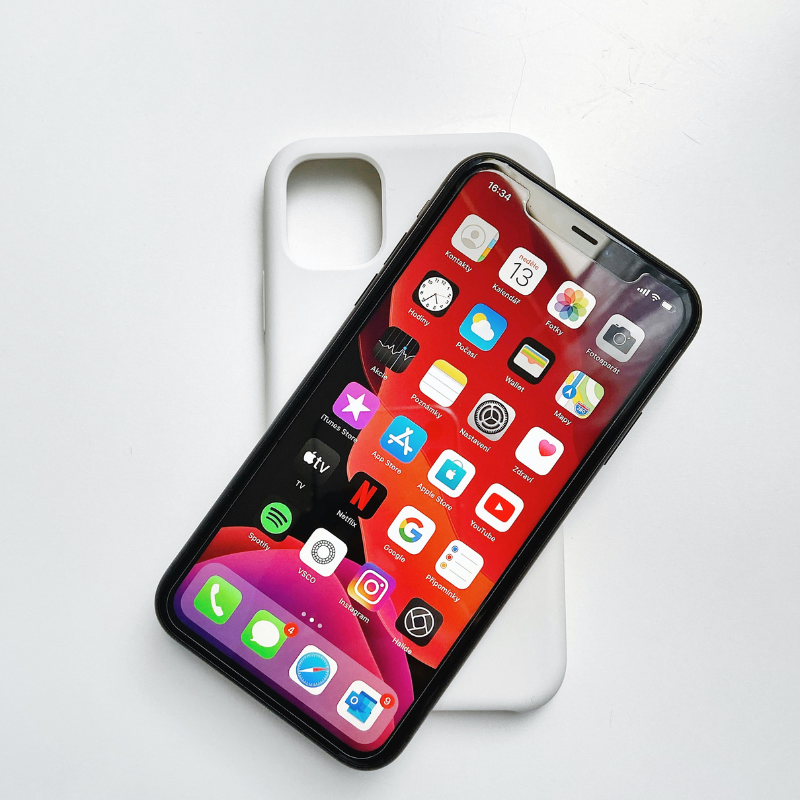
- Flat lay (top-down): Shot at 90 degrees from above. Ideal for phone cases, straps, packaging, and accessory sets. A tripod with a horizontal arm or a desk stand makes this much easier.
7. Avoid Digital Zoom
Pinch-to-zoom is just cropping – it reduces quality. If you need to get closer, move physically, or use an optical telephoto lens if your phone has one. A 2x or 3x lens also reduces wide-angle distortion, keeping your products looking true to life.
8. Lock Focus and Exposure (AE/AF Lock)
Do not rely only on full auto. Point the camera at your product, press and hold on the screen until you see AE/AF Lock. This locks focus and exposure. Then slightly lower exposure to keep bright areas like shiny metal watch lugs or glossy cases from blowing out.
9. Gentle Editing That Stays True to the Product
Use apps such as Lightroom Mobile or Snapseed for precise, natural edits. The goal in ecommerce is accuracy, not heavy artistic filters.
- Correct white balance so whites look neutral, not yellow.
- Lightly lift shadows to reveal product details.
- Add subtle sharpening.
- Avoid filters that change the real color of bands or cases and mislead customers.
Brand Consistency and Smart Use of AI
10. Visual Consistency Builds a Strong Brand
Consistent photos make your online store look trustworthy and premium. Use the same lighting, background, angles, and crop for all smartwatch accessories, premium bands, and protective cases. This uniform style instantly elevates your brand and helps customers compare products easily.
Bonus: Use AI as a Product Photo Retoucher
If you captured a good photo but the background is your desk and the lighting looks “home-made”, AI tools can help. Modern AI editors can place your real product on a clean studio background, improve lighting and sharpness, and keep the item itself unchanged.
Example prompt (English) to use with an AI image tool:
Act as a professional e-commerce product photographer and high-end photo retoucher. I am uploading a photo of a real product. Your task is to enhance the image to look like a premium studio product photograph — without changing the product itself in any way.
Strict rules: Do NOT change the product’s shape, size, proportions, colors, textures, materials, branding, logos, buttons, connectors, or any physical details. Do NOT add, remove, distort, redesign, or invent any parts of the product. The product must remain 100% identical to the original image.
Enhancement goals: Place the product on a clean studio background (pure white or soft neutral gray). Apply soft, diffused studio lighting. Improve clarity, sharpness, contrast, and color accuracy while keeping the product realistic. Add a subtle, natural shadow or reflection. Remove noise, color cast, harsh reflections, and artifacts.
These clear instructions help AI behave like a professional product photographer, giving your smartwatch bands, phone accessories, and wearable accessories a polished studio look that converts more visitors into buyers.